Understand and Use Facebook Edgerank – 2 Infographics

2 #Infographics to Help You Understand and Use Facebook Edgerank
Would you like to learn everything about the Facebook Edgerank? Would you like to use it to your advantage to get more fans to see your posts?

Countless articles have been published explaining everything there is to the Facebook Edgerank, but there are still several people who are trying to figure what it is. The good news is that you can stop doing that as PostRocket have published this outstanding Facebook infographic on what the Edgerank algorithm is and how you can use it to thrive in the newsfeed by reaching more fans.

This is an infographic you shouldn’t miss. You will find it both helpful and entertaining as they have used Batman, his friend Robin and his enemies Joker and Bane to explain how it works. I have included another infographic on Edgerank to make things easier to understand.  Check them out below…

[Read more...]

How to Add Facebook Share Buttons to Your PDF Documents


Last week, I showed you how to add retweet buttons to your PDF. Today, I am going to show you how to add Facebook share buttons to your PDF documents.

A facebook share button can be usually found on blog posts, website pages, etc. These buttons make it easy for you to share content on facebook. The same button can be added to a PDF to increase the number of facebook shares you receive. They also have the many benefits that the retweet buttons provide to PDFs. So make sure you add facebook share buttons along with your retweet buttons to your PDFs, so that you get many social shares not only on twitter, but also on facebook.

The step by step instructions below will teach you how to add facebook share buttons to your PDF Documents:-

1. Create Facebook Share Button: The first thing you have to do is create a facebook share button. You can create a fancy button with the help of your designer or illustrator or you can create a simple button with basic design skills. All you need is a blue coloured button with, “f-share” or “Facebook-share” written on it. You could also have a message like, “Click here to share on facebook” on the button.

I created the above button by using the easiest of methods.

[Read more...]

5 Ways to Promote Your Latest Content


Creating content in the form of blog posts, white papers, videos, etc. can be a great way to market your business, but your marketing shouldn’t end there, as you need to make an extra effort to market the latest content you have produced.

If you let your content just lie there; only a few people who visit your site will notice what you’ve created. You will lose out on a lot of potential readers and clients you could have attracted by promoting your content. If you’re keen on promoting your latest content and getting as many readers as possible, you need to make the extra effort to promote your content.

The 5 tips below will help you promote your latest content:-

1. SEO Your Content: You always need to SEO your content if you want it to be found easily on search engines. Optimizing your content for search engines consist of just a few steps and techniques you need to implement. If you implement these techniques initially, your content will be easily found on search engines without you having to make any other effort. To learn how to SEO your content for search engines read this detailed post.

2. Share on Social Media: Right after you finish creating your content share it on your various social media accounts. If you want to take your social media marketing seriously, you need to have an account with facebook, Twitter, Google+, and Linkedin. Also make sure you have pages on Facebook, Google+ and Linkedin. As soon as you have published your content on your website you need to share them on your various profiles and your various pages so that your followers can read them and share them with their followers, thereby increasing your content’s readership. You could also share your content on other social bookmarking sites like Digg, Stumble Upon, Tumblr, etc.

[Read more...]

How to Set up Your Facebook Timeline in 7 Easy Steps


Facebook has recently made the timeline available to all its users. Timeline is a great new addition for facebook users. I personally think that everybody should make use of it, as it makes it easy for you to track all your post based on the date and time you posted them. It also makes it easy for you to highlight the most important moments in your life that you shared on facebook and make them easily visible to your friends.

The 7 steps below will help you set up your facebook timeline…

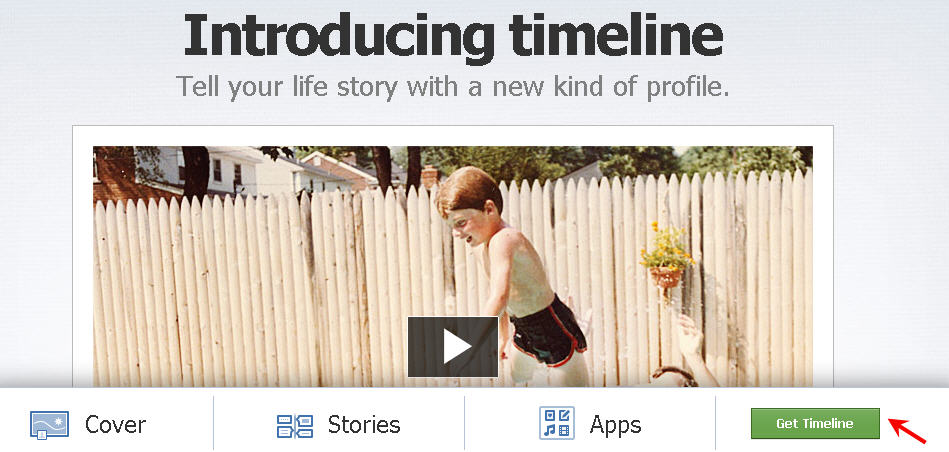
1. Visit this timeline page and click on get time line. As soon as you click on this button, timeline will be enabled for your profile. [Read more...]